Loop recording
Clips of 1 to 10 minutes. When storage is full, the oldest clips are replaced. Crash-protected clips never are.
Dash cam app for iPhone and Android
New DashCam App records every drive in short clips, protects the footage when there’s a crash, and builds an insurance-ready accident report, all from the phone you already carry.
Coming soon to the App Store and Google Play.
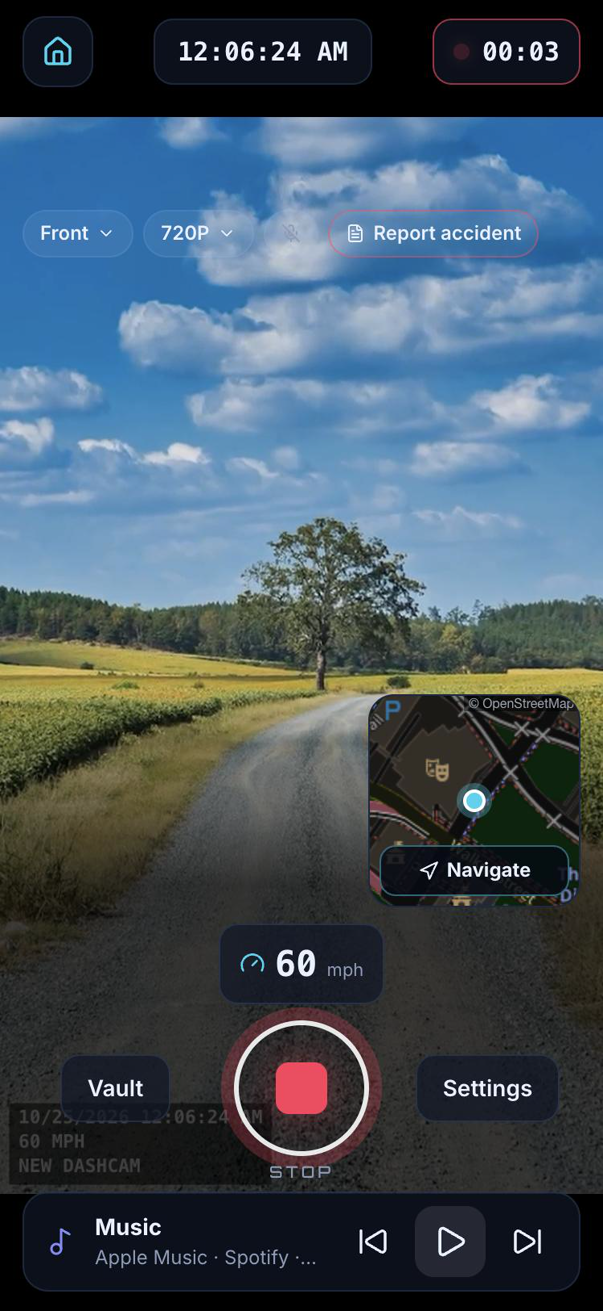
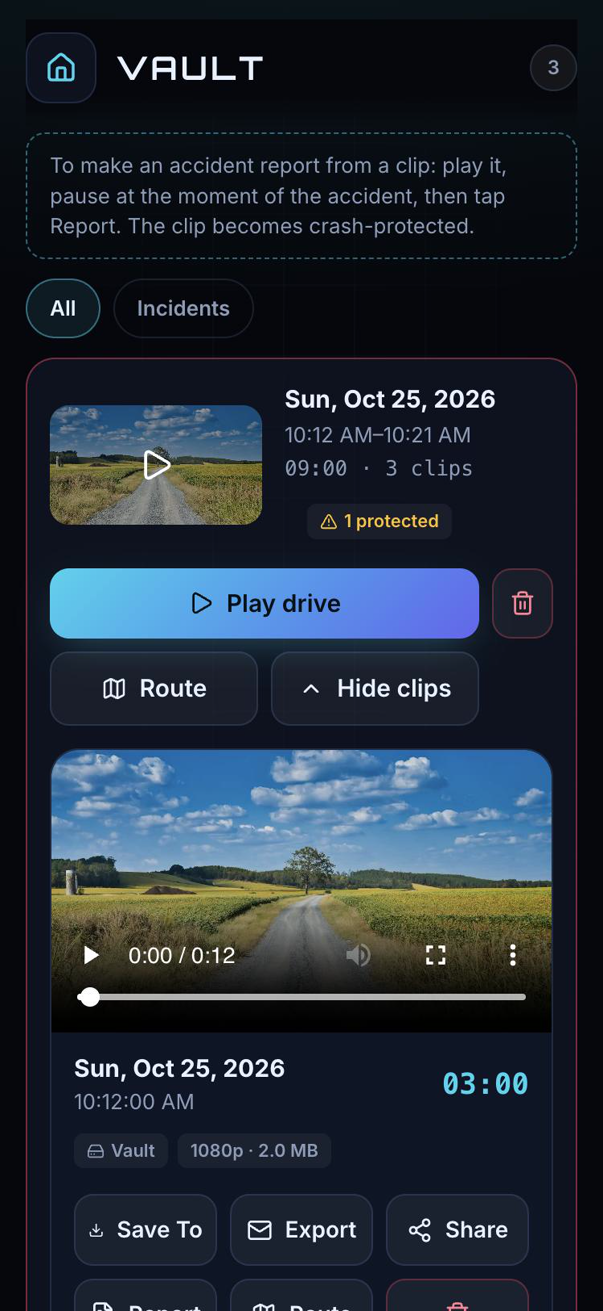
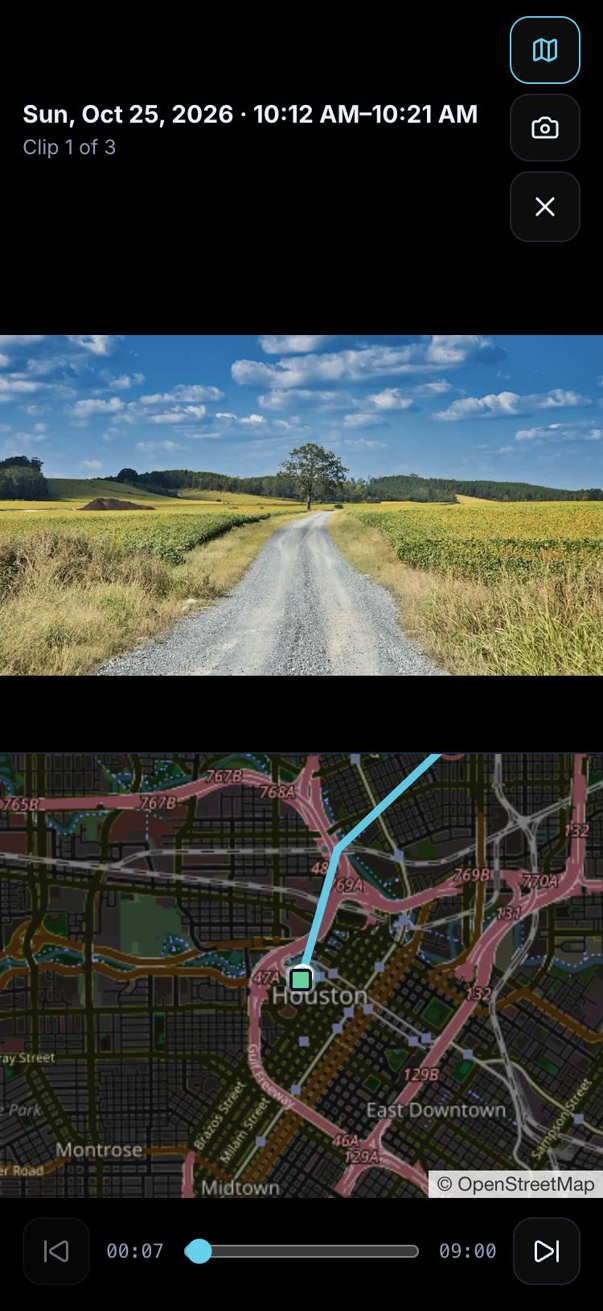
Set it up once, press REC, and drive. Everything else happens by itself.
Clips of 1 to 10 minutes. When storage is full, the oldest clips are replaced. Crash-protected clips never are.
An impact protects the clip automatically. The report has stills from the moment of impact, a speed and G-force timeline, photos, both drivers’ details and your signed statement, as a PDF for your insurer.
After a crash, your local emergency number is one tap away. The app never calls anyone by itself.
Every drive on a map. Tap the line to play that moment, and grab a stamped still of any frame.
Tag clips with your platform and trip status, protect a clip when a rider disputes, build an appeal pack, and keep a mileage log for your taxes.
50 GB or 250 GB of secure cloud storage, Wi-Fi-only uploads for regular clips, and the app in 11 languages.
The app is one download. Each section below lists everything it does for that kind of driver, and every setting you can change.
Commutes, school runs, road trips. Set it up once, press REC, and the app has your back if something happens.
Uber, Lyft, DoorDash, Grubhub, Uber Eats, Instacart, Amazon Flex, Bolt, Grab, DiDi, Deliveroo, Just Eat, Wolt, Glovo and Rappi. Everything above, plus Driver Mode (Pro).
Track days, autocross, time attack, karting with a phone mount. Everything above, plus Track Mode (Pro).
What's true whichever way you drive.
US prices. The App Store or Google Play shows the price in your currency before you buy.
or $19.99 a year
or $39.99 a year
or $79.99 a year
Subscriptions renew automatically unless cancelled at least 24 hours before the end of the period. Manage or cancel them in your App Store or Google Play settings.
No. iPhone and Android stop an app’s camera when another app is in front or the phone is locked, so the app records only while it is open on screen. Recording resumes by itself when you return. On Android, split screen keeps recording where the phone supports it.
No. After a detected crash, the Auto-SOS screen shows your local emergency number with a Call button. You decide whether to call.
Recordings are saved as clips of 1, 3, 5 or 10 minutes. When the phone storage you set aside is full, the oldest clips make room, starting with clips already backed up. Crash-protected clips and clips used in accident reports are never removed this way.
It depends on where you drive. In some US states and countries everyone in a conversation must agree to being recorded. The app shows a notice before audio is first turned on, reminds you in all-party-consent states, and offers a printable “recording in progress” sign. You are responsible for following the laws where you drive.
Speed is estimated from GPS and can be delayed, inaccurate or missing, for example in tunnels. Always use your vehicle’s speedometer, and don’t rely on the app’s speed as proof.
Subscriptions are billed by Apple or Google, so you cancel them there: on iPhone under Settings → your name → Subscriptions, on Android in Google Play → Payments & subscriptions. Features stay unlocked until the end of the paid period.
In the app, Settings → Account → Delete account removes your account, cloud recordings, reports and settings right away. If you can’t open the app, email us from the address you signed in with. See the Delete account page below.